Senior Living Occupancy Rates Guide

Calculate Occupancy And Plan Your Next Opening

Calculate your own occupancy rate with a clear count and date. Use it alongside upcoming openings, held tours, and waitlist readiness.

Your calculation guide · Not market-rate data

FIELD NOTESUse One Count And One Date
In use÷ available× 100
USE THE SAME BASIS

Use Matching Counts From The Same Date

A rate shows a snapshot. It does not explain why a room is empty.

YOUR WORKING COPY

Calculate Your Community’s Occupancy

Type in the cells. Use task references, not private family or care details. Your edits stay on this page until you reload; download to keep them.

75%

45 ÷ 60 × 100. Change these practice counts to your own.

Upcoming openingDate to checkWaitlist questionStaff owner

Swipe the table to edit more fields.

Plan Around Your Next Open Room

Your rate is a snapshot. Use it with upcoming openings, held tours, and family timing to decide whether demand, response, or follow-up needs work.

See The Related Work ↗
YOUR OPENING REVIEWOne count. One date.
  1. Use units or beds consistently.

  2. Record the snapshot date.

  3. Review the next room opening.

A manager reviewing an apartment floor plan with a calculator

Calculate Your Own Occupancy Rate

Check What Goes Into Your Rate

OCCUPIEDYour count

Units or beds in use

÷
AVAILABLESame basis

Units or beds available

× 100
YOUR RATEA snapshot

For one defined date

01 / A USEFUL NEXT STEP

Choose What You Are Counting

A room, apartment, bed, and resident are not always the same unit. Shared rooms can make resident counts differ from occupied apartment counts. Write the measure before doing the math. Define which units are available to include and how temporarily unavailable units are treated. Keep the choice consistent across reports. A two-person room can be partly used while counting as one occupied room. That is why a resident count cannot silently replace a room count.

  • Choose units or beds before counting
  • Write which inventory is included in the total
  • Use the same definitions across locations
02 / A USEFUL NEXT STEP

Calculate A Point-In-Time Rate

For a unit-based snapshot, divide occupied units by the included unit total, then multiply by 100. For example, 36 occupied units out of 40 gives 90%. These numbers are a worked example, not a market benchmark. Date the snapshot so staff know which move-ins and move-outs it includes. The calculation describes that date only. If a resident moves in the next morning, the next snapshot needs a new count rather than an old label.

  • Count occupied units on one named date
  • Divide by the matching included unit total
  • Label the result with its unit and date
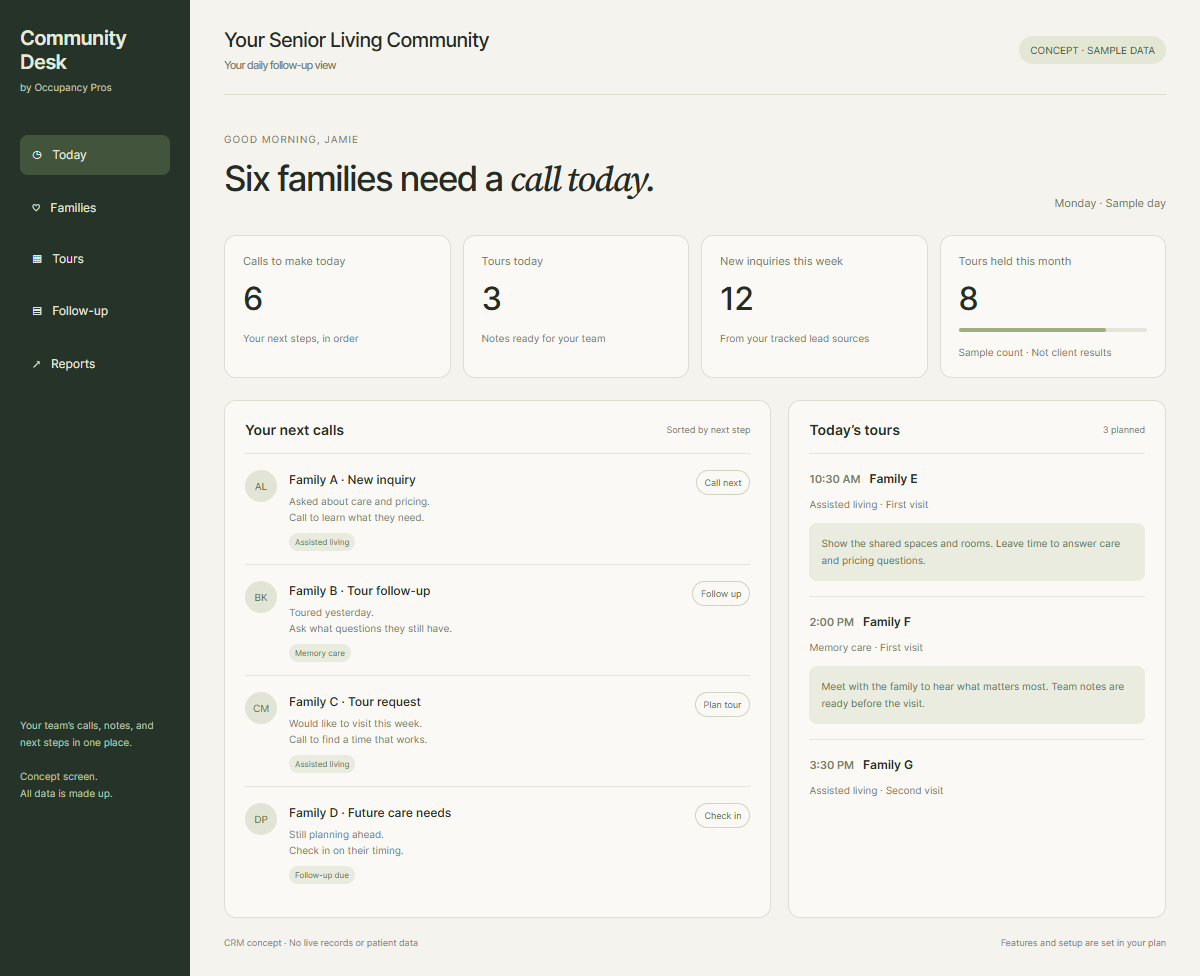
Staff follow-up view
Community Desk CRM concept showing staff follow-up and tours
Count occupied units on one named date
03 / A USEFUL NEXT STEP

Separate Snapshots From Period Averages

A snapshot and a period average answer different questions. A month-end count can hide changes earlier in the month. If you track occupied unit-days, divide them by available unit-days for that same period. Explain your method and use matching units. Do not compare two rates built from different counting rules. A building that fills several rooms late in the month may show strong month-end occupancy while its average for that month remains lower.

  • Name whether the report is a snapshot
  • Keep the numerator and denominator in matching units
  • Show method changes beside any comparison
04 / A USEFUL NEXT STEP

Connect Openings To Your Family Pipeline

A rate can show what is occupied today without showing what comes next. Review expected move-ins, known openings, and families still deciding. Do not count a booked tour or a waitlist name as an occupied unit. The staff plan should show who needs a call and which care-fit checks remain. A family due for a second visit may be interested without being ready for admission. Keep that stage visible when discussing future room availability.

  • Keep expected move-ins apart from current residents
  • Check the next action for waitlisted families
  • Review upcoming changes with the community lead
An older woman and her son greet a community host beside a reception seating area, warm eye-level composition
Keep expected move-ins apart from current residents
05 / A USEFUL NEXT STEP

Use Benchmarks With Their Source

This guide does not report a current national occupancy rate. Any market figure needs a dated source and a clear care type, geography, sample, and counting method. Your own trend is still useful when those fields are clear. Avoid calling a difference a performance problem before checking whether the measures are comparable. A rate for one care type in one market may not be a fair target for a different community. Source context belongs beside the figure.

  • Record date and geography for outside figures
  • Check which community and care types are included
  • Compare your trend using one stable method

Clear answers before you call

Occupancy Formulas And Counting Questions

Use matching room counts and dates to understand your own rate.

How Do We Calculate Occupancy Rate?

Divide occupied units by the included unit total, then multiply by 100. Use counts from the same date and the same basis, such as apartments or beds. Write the date and definition beside the result so another person can check the calculation and understand what it includes.

What Does 36 Of 40 Mean?

If 36 of 40 included apartments are occupied on your chosen date, the calculation is 36 divided by 40, multiplied by 100. That gives 90% apartment occupancy for that date. These are practice counts to show the method, rather than an industry average or a target for your community.

Can We Mix Beds And Apartments?

No. Match the occupied count with the same kind of total. One occupied apartment may hold more than one resident, and a shared room may have an empty bed. Decide whether you are measuring apartments, rooms, or beds, then keep that choice clear across the whole report.

Do Reserved Rooms Count As Occupied?

Keep a future reservation or expected move-in separate from today's occupied count. Use your community's written counting rules and label the snapshot date. A waitlist name, deposit, or booked tour does not by itself show that a room is occupied. Track those future stages in separate fields.

How Do We Calculate Average Occupancy?

For a period measure, divide occupied unit-days by available unit-days for that same period, then multiply by 100. Use one consistent unit definition. This accounts for changes during the period. A month-end snapshot uses only one date and should not be labeled as the month's average.

What About Rooms Temporarily Out Of Service?

Use a written rule for what belongs in the included inventory. Record any room excluded from the denominator and the reason, then apply the rule consistently. A smaller denominator can raise the rate without a new move-in, so show inventory changes beside comparisons with earlier periods.

What If The Available Count Is Zero?

A zero denominator does not produce a meaningful occupancy rate. Check whether the included inventory was entered correctly and whether the chosen measure fits the situation. Report the count and reason instead of forcing a percentage. The numerator and denominator should describe the same usable measure and date.

What Is A Good Occupancy Rate?

Start by comparing your own trend using stable definitions and dates. An outside target needs a dated source with the care type, geography, sample, and counting method. This page does not report a current national average. A single percentage also cannot show staffing, pricing, or future room needs.

How Do We Compare Several Communities?

Use the same date and unit basis, then add the occupied counts and matching totals before dividing. Do not simply average location percentages when their sizes differ. Show each community's rate too, so a combined figure does not hide an opening or a change at one location.

What Should We Review With The Rate?

Review known openings, expected move-ins, tours held, and families with current timing and next actions. Keep each stage separate from occupied units. The rate shows what is in use; those other records help staff decide whether the next task concerns demand, replies, visits, or waitlist readiness.

Start with a conversation

Let’s Talk About
Your Goals.

Tell us what needs work. We’ll talk through how marketing and CRM could help your team.

  • Tell us what you need
  • Ask about marketing or CRM
  • See if we’re a good fit

Share your main concern or current tools. Leave out private resident and family details.

Local preview only. Your request stays on this computer for review. It is not sent to the team or a CRM, and no call is booked.

Checking the local preview connection…